sound
updated
Set each app’s output and volume. Combine voice and music in Hop Mix.
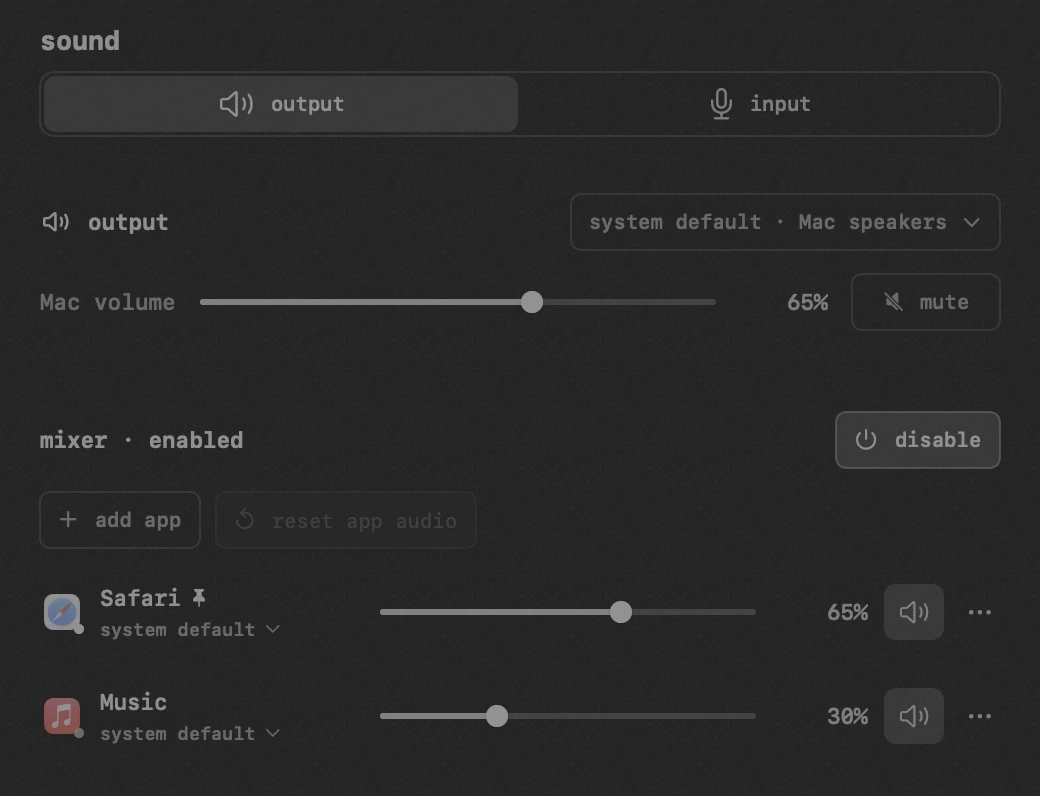
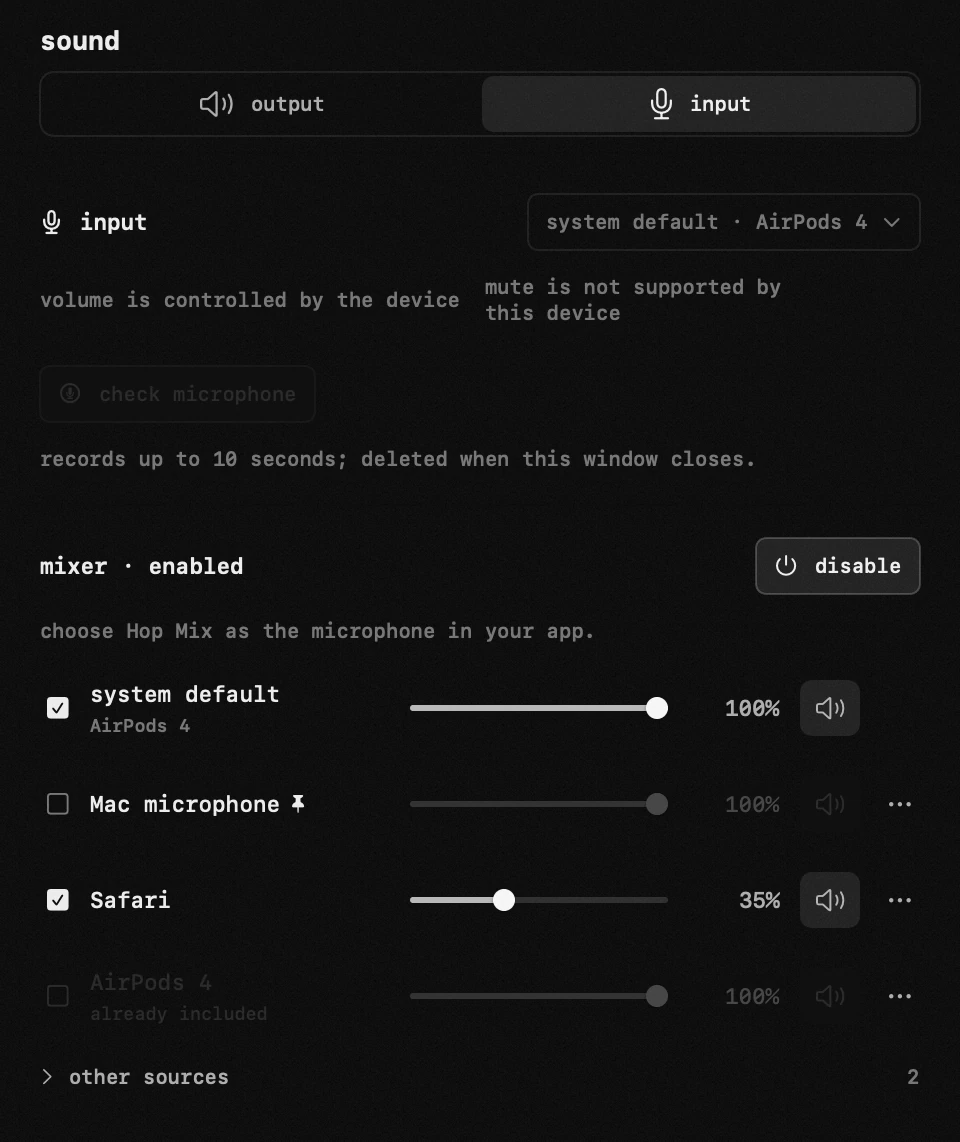
- Listen to private Telegram voice messages through headphones without interrupting the music playing through speakers.
- Set an output, volume and mute for each app, even before it starts playing.
- Combine your microphone and selected apps in Hop Mix, then choose Hop Mix as the microphone in your call or streaming app.
- Closing Sound stops Hop Mix and microphone capture. App outputs keep working.
- If an assigned device disconnects, the app waits for that same device to return. Sound does not switch to speakers.
- Hop Mix includes all sound from selected apps. Configure system notification sounds in macOS.