torrents
updated
A lite BitTorrent client in the same panel: drop a .torrent file or paste a magnet link, pick exactly which files to download – before or even during the download – pause, resume and seed, with an optional stop at ratio 1.0. The module is off by default; enabling it fetches the open-source engine as a small separate download (~26 MB, signature-verified) that talks only to Hop over a local port. Hop can also become the default app for .torrent files and magnet links.
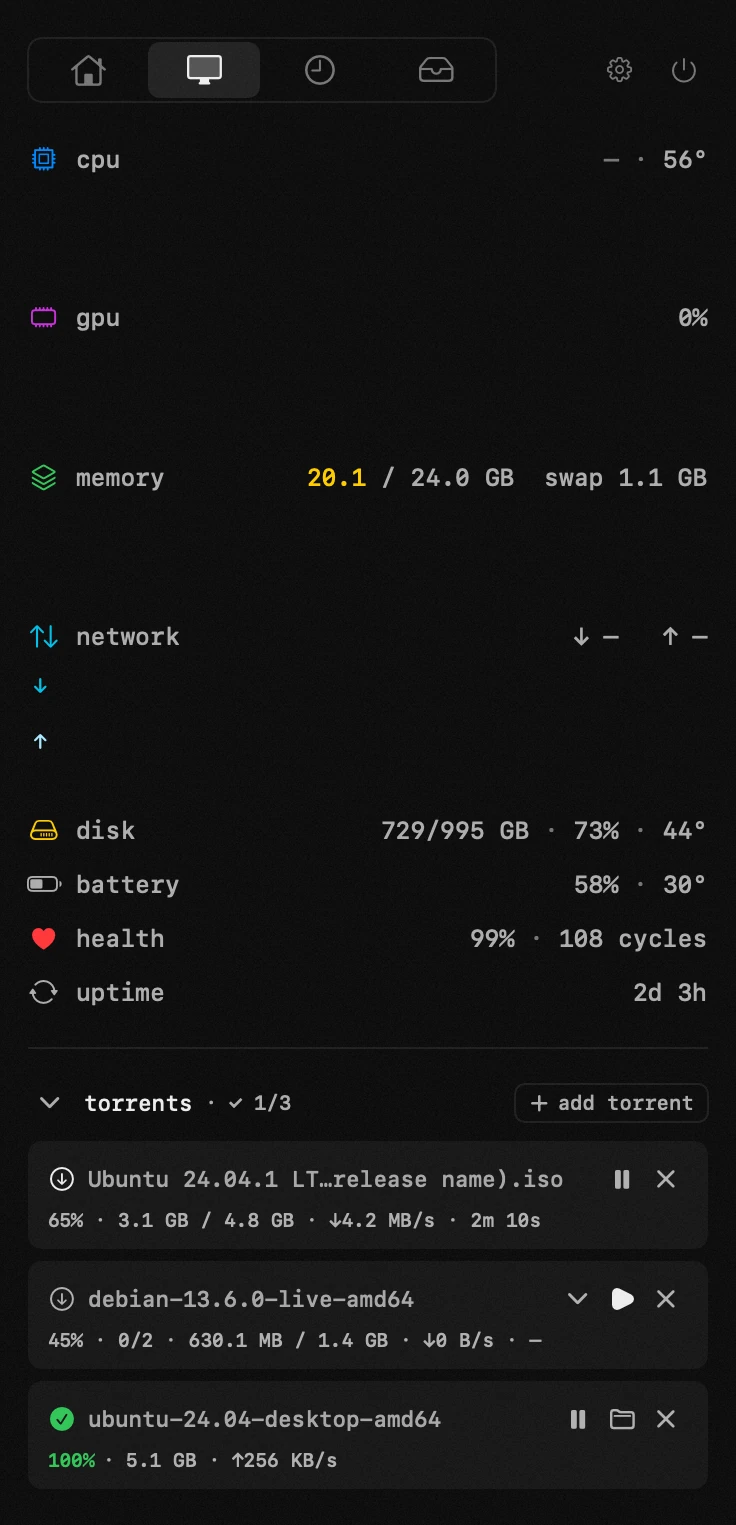
- adding – drop a .torrent onto the card, paste a magnet link, or open a .torrent from disk. make Hop the default for .torrent files and magnet links and they open here straight from the browser or Finder.
- choosing files – the add sheet lists what's inside; tick the files you want (select or deselect all at once) and confirm. a multi-file torrent expands into a per-file list you can toggle live, each with its own progress.
- downloading – the row shows percent, size, speed and eta; the download glyph lights up only while bytes are actually arriving. pause and resume any time.
- done and seeding – a finished torrent keeps seeding (sharing) to others; pause the row to stop, resume to share again.
- stop at ratio 1.0 – off by default; turn it on in settings to stop seeding automatically once you've uploaded as much as you downloaded.
- speed limits – cap download and upload rates (KB/s) in settings; 0 means unlimited. switch the fields between KB/s and MB/s.
- disk space – before a download starts, the free space on the target volume is checked against the selected files; it won't begin if they don't fit.
- where files land – the download folder (Downloads by default, changeable in settings). single-file torrents go straight in; multi-file ones get their own subfolder named after the torrent. on a finished row reveals it in Finder.
- removing – delete the torrent but keep the files on disk, or delete it together with the downloaded files.
app permissions
notifications — the timer's alert and a finished torrent.
network — updates, the two optional helpers, torrent peers and the speed test. nothing else is contacted.
settings
- download folderDownloads
- stop seeding when uploaded = downloaded
- speed limitKB/s · MB/s
- 0 – no limit
- show add card when empty
- make Hop default for .torrent + magnet