keyboard lock
updated
Tap 1, 5 or 15 minutes – or ∞ – and the whole keyboard stops responding, so it can be wiped without shutting the Mac down or closing the lid. A cover explains what is happening and the menu-bar icon turns into a keyboard. Four ways out: the cover's button, the panel's button, opening the panel, or holding esc + shift for five seconds. A short press of the power key is swallowed too; holding it still forces the Mac off, because that is handled in hardware.
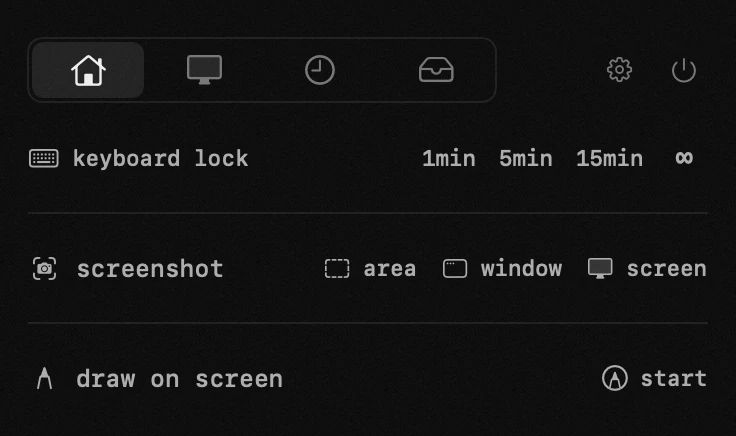
- how it starts – the module has no start button: tapping a length starts it. 1, 5 or 15 minutes, or ∞ to stay locked until you say otherwise.
- while it is on – a full-screen cover explains what is happening, and the menu-bar star turns into a keyboard so the reason the keys are dead is visible at a glance. every press, release and modifier is swallowed, including the brightness, volume and media row. nothing is recorded: the events are dropped, never read.
- four ways out – none of them a shortcut: the done button on the cover, the unlock button in the panel, simply opening Hop's panel, or holding esc + shift for five seconds if the mouse is out of reach. unlocking plays a short cue.
- the power button – a short press is swallowed like everything else, but holding it still forces the Mac off: that is handled in hardware and never reaches an app. Touch ID keeps working too.
- accessibility permission – the same one the window manager uses, because swallowing keys system-wide is exactly what it governs. without it the keys would keep firing, so Hop asks before promising a lock.
app permissions
accessibility — pasting into the app underneath, moving windows, the keyboard lock, drawing while a key is held.