internet speed test for Mac
updated · by Anton Shakirov
a call starts in two minutes and the Wi-Fi feels wrong. you do not want a website with three ad banners and a cookie wall — you want a number. your Mac can already produce that number on its own, and hop puts the same measurement one tap away in the menu bar.
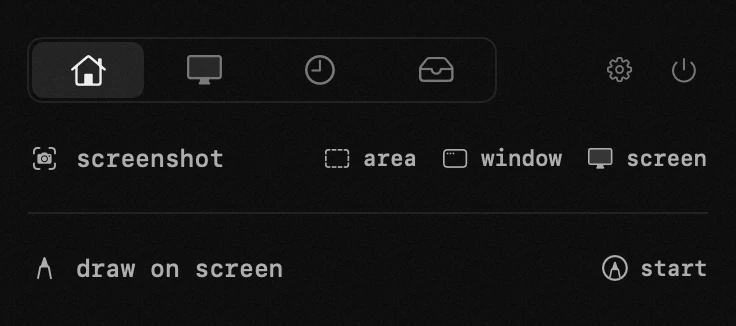
| what it is | speed test inside hop, a menu bar app for macOS |
|---|---|
| price | free — no trial, no pro tier, no account |
| licence | MIT, source on GitHub |
| requires | macOS 14 or later, Apple silicon or Intel |
| works offline | yes |
| data sent anywhere | none |
when you need an internet speed test on a Mac
- before a call, when the question is whether video will hold
- before a large download or upload, to know what you are in for
- when something feels slow and you want to know whether it is the connection or the site
- after moving the laptop to another room, to see what the walls did
- when the provider says the line is fine and you would like something to quote back
four of those five want one glance. the last one wants a result you can carry into an argument, and that is a different job.
if quoting a number to a provider is the actual task, the name they recognise is the right one to use, and we say so on its own page: a Speedtest alternative in the menu bar
the Mac speed test you already have
macOS has measured its own connection since Monterey. the tool is called networkQuality, it lives at /usr/bin/networkQuality, it talks to Apple's own infrastructure, and it is already on your Mac whether or not you install anything else.
the reason almost nobody uses it is not that it is hard. it is that it never shows itself: no window, no pane in System Settings, no menu item anywhere. you have to know the word before you can type it.
what the output actually looks like
these are the lines this Mac printed on macOS 26.6.2, not a description of them. plain networkQuality prints four lines: uplink capacity, downlink capacity, one combined responsiveness figure, and idle latency. add -s and it prints five, because responsiveness is split by direction:
- uplink capacity 310.6 Mbps, downlink capacity 97.5 Mbps
- uplink responsiveness: medium — 124 ms, 484 RPM
- downlink responsiveness: low — 1.925 seconds, 31 RPM
- idle latency: 90.6 ms, 662 RPM
read the last three together. at rest this connection turns around 662 times a minute. loaded in the upload direction it still manages 484. loaded in the download direction it falls to 31 — a twenty-onefold collapse on the same line, in one direction only. a test that reports a single latency number cannot tell you that, and a test that reports only megabits will call this connection healthy.
what the responsiveness figure is and how Apple defines it — the note the command's own manual page points at: test your internet connection quality, Apple Support
the flags, the full reading of all five numbers and what to do when the command is not found live on the Terminal page: your Mac has a speed test, it has no window
which speed test number actually matters
download speed is the number everyone quotes and the one that explains the least. a connection can pull two hundred megabits and still make a call stutter, because what breaks calls is delay while the link is busy, not the ceiling it reaches when it is idle.
RPM is round trips per minute, measured under load. it is not a made-up vendor metric: the method is being standardised, and the draft describes it more carefully than any product page.
the measurement and the reasoning behind it: responsiveness under working conditions, IETF
so which speed test should you use
if you check your connection once in a while, open Terminal and type networkQuality. it is free, it is already there, it reports more than any web test, and nothing about this page changes that.
the simple case ends when checking stops being an event. once you are looking before every call, or twice in an afternoon while you move the router around, the cost is no longer the forty seconds the test takes — it is remembering the command and opening a terminal window to glance at a number.
and one thing worth knowing before you blame the line: a speed test through a tunnel measures the tunnel, not your connection — a vpn that says connected and carries nothing
how hop runs the internet speed test
plainly, and this is the part most product pages would rather not put in writing: hop runs macOS's own networkQuality against the same Apple servers. the engine is not ours and the numbers are not better, faster or more accurate — the one difference is that hop asks for the two directions in turn (networkQuality -s) rather than both at once, which is why an upload figure here can beat the one a bare command reports on a home line. anyone claiming their Mac speed test measures something the system tool cannot is selling a wrapper and calling it an engine.
what changes is where the measurement lives: a row in the panel, one tap, the last result kept so the next one has something to be compared against, and no browser tab on the way.
| what you are doing | the free route | with hop |
|---|---|---|
| checking once, out of curiosity | type networkQuality in Terminal, wait forty seconds | not needed — the command is already on your Mac |
| a glance a minute before a call | open Terminal, recall the command, read the summary | open the panel, tap, read the row |
| is it worse than it was this morning | copy the output somewhere yourself, or you have nothing to compare | the previous result stays in the row |
| settling Wi-Fi against cable | networkQuality -I en0 binds the test to one interface | no flags in the panel — this one belongs to Terminal |
the module measures when you ask it to and not otherwise. a permanent readout in the menu bar would mean constant traffic in the background, which is a poor trade for a number you need occasionally.
what does belong in a permanent readout is throughput and load, and that is a different module: system monitor for Mac
how to read the row, what responsiveness under load means and why download and upload are measured one after the other — the handbook end of this, in your own language: the speed test in the guide
a menu bar speed test versus a web speed test
the real competitor for this query is not Terminal. it is the browser tab: Speedtest by Ookla, Fast, Cloudflare. their numbers are fine, and for a figure to quote at a provider a recognised name is worth more than a better method.
what a web test costs is everything around the number — advertising, a cookie wall before the button, whichever server the service picked, and a result that exists until you close the tab. hop is the middle of the two: the command's method and Apple's servers, with a button instead of a browser. enough for people who check often, and not enough for people who check twice a year.
the longer comparison, including what Ookla does better and where its account history wins: Speedtest alternative for Mac
when the speed test gives a number you did not expect
it is far below the plan you pay for
- something else is using the line. a system update, a cloud sync or a backup takes the capacity, and the test honestly reports what is left over.
- you are measuring through a vpn. every packet goes to one server somewhere else, and the result describes that path rather than your connection.
- it is the Wi-Fi, not the line. this is the case where the panel is not enough: run networkQuality -I en0 in Terminal once over cable and once over Wi-Fi, and the gap tells you whether to move the router or call the provider.
capacity is fine and calls still break
look at responsiveness rather than megabits. high capacity with a low RPM under load is a specific diagnosis, not a vague slowness: a buffer somewhere between you and the internet — usually in the router — fills up and everything else queues behind it. it is fixable in the router's queue management, and it is not fixed by paying for a faster plan, which is exactly what a megabits-only test nudges you towards.
the name for that failure and what actually fixes it, from the open project that has been chasing it for a decade: what can i do about bufferbloat
two tests disagree with each other
neither is lying. they measure to different servers over different routes, and a browser adds its own overhead. compare like with like: the same tool at two times of day tells you far more than two tools at one time.
if the tunnel is the suspect and you want it off for one measurement without hunting through System Settings: vpn switcher for Mac
and if it is fine while you watch it and dead after the Mac sleeps, that is its own problem: a vpn that drops after sleep
frequently asked questions
- does macOS have a built-in speed test?
- yes — the networkQuality command, in Terminal, since Monterey. it measures against Apple's own infrastructure and reports capacity, responsiveness and idle latency. it has no window and no menu item, which is why almost nobody knows it is there.
- does hop measure anything the Terminal command does not?
- no. hop runs that same command against those same servers, with one flag: the directions are measured in turn rather than together, which on a home line reads the upload honestly. what it adds is a tap instead of a typed command, and the previous result kept in the row.
- which servers does it measure against?
- Apple's own, the same infrastructure macOS uses for its network quality check. no third-party measuring service sits in the middle, and nothing about your connection is reported anywhere.
- what is responsiveness?
- how the connection behaves while it is loaded, counted as round trips per minute. it is what decides whether a call holds, and it is usually a better warning sign than raw speed.
- why is my speed fine but my calls still break?
- because capacity and responsiveness are different things. a line can reach two hundred megabits and still collapse to a few dozen RPM the moment something fills the queue — that is bufferbloat, and it lives in the router, not in your Mac.
- does it show speed continuously in the menu bar?
- no — it runs when you ask it to. a permanent measurement would mean constant traffic in the background, which is not a fair trade for a number you need occasionally.
- are there ads?
- none. hop has no advertising anywhere, and the test does not open a web page.
- is it really free?
- completely, along with the other eighteen tools.
other tools in hop
- file converterimages, video, audio and documents. offline, with the size shown up front.
- time trackerwhere the hours went, kept on this Mac and nowhere else.
- system monitorload, temperatures, memory and battery — quiet until something is wrong.
what people do with this
what people pay for this
| app | price | what you get instead |
|---|---|---|
| Speedtest by Ookla | free, no in-app purchases on Mac | three numbers in the panel, measured through Apple's own servers. |
| hop | free, MIT | download, upload and responsiveness — measured through Apple's own servers. |
prices checked at the vendor's own page on 2 september 2026
about the author

Anton Shakirovmakes hop
makes hop and every page on this site. twenty tools under a single menu bar icon, MIT licensed and open source. reads and answers issues and email himself.