apps
updated
A grid of the programs you open all day, one click away without a trip to the Applications folder. Press + and pick them, or drag them in from Finder; nine fit across a row, up to eight rows.
Drag an icon to move it – a yellow line shows which two icons it will land between and the rest shuffle around it, like a home screen. The edit button starts the wobble, where each icon gets a ✕ and the grid can be given a name of its own; the names under the icons can be switched off there too, if you know your apps by sight. Keep as many grids as you like – work on one space, everything else on another – each with its own apps.
Grids are made and unmade where you arrange the modules – settings, or the module table itself, where the ✕ on a grid's chip deletes it for good. A new grid starts empty and says so until you fill it.
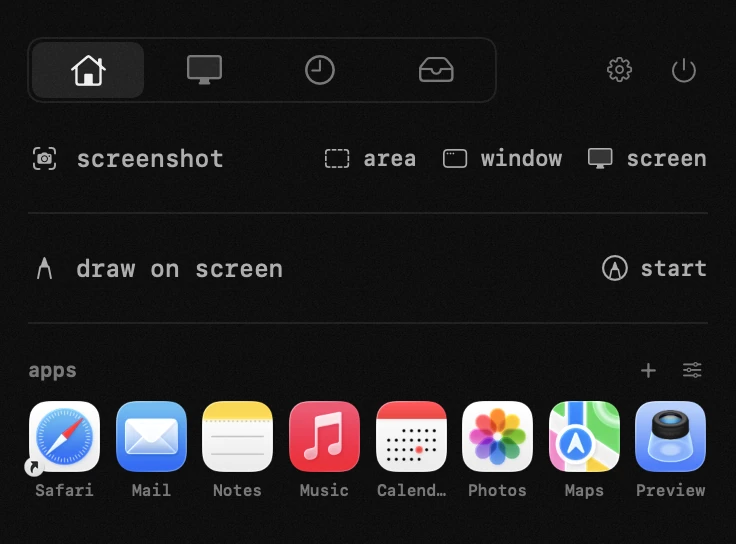
- add – press + on the grid and pick an app, or drag one in from finder.
- arrange – drag an icon and a yellow line shows which two icons it will land between; the rest shuffle around it, like a home screen. nine across, up to eight rows.
- edit – the second button opens edit mode: the icons wobble, each gets a ✕ that removes it, and the grid can be given a name of its own. done leaves that mode.
- names – the names under the icons can be switched off while editing, leaving bare icons.
- as many grids as you like – add one in settings or under the module table, and delete one with the ✕ on its chip there. a new grid is empty and says so until you fill it.