text recognition
updated
Frame an area of the screen, or drop a picture into the window and paste one with ⌘V: the text and any QR codes inside come out in a window you can read, edit and copy from, and land in the clipboard history at the same time. Line breaks are kept, so a table or a code snippet stays readable. Recognition is Apple's Vision, entirely on this Mac.
A reading that holds a web address gets an "open link" button, so the link inside a QR code on a bill opens in your browser without reaching for a phone. Web addresses only: a scanned code is untrusted input, so a phone number, a Wi-Fi password or a contact card stays plain text.
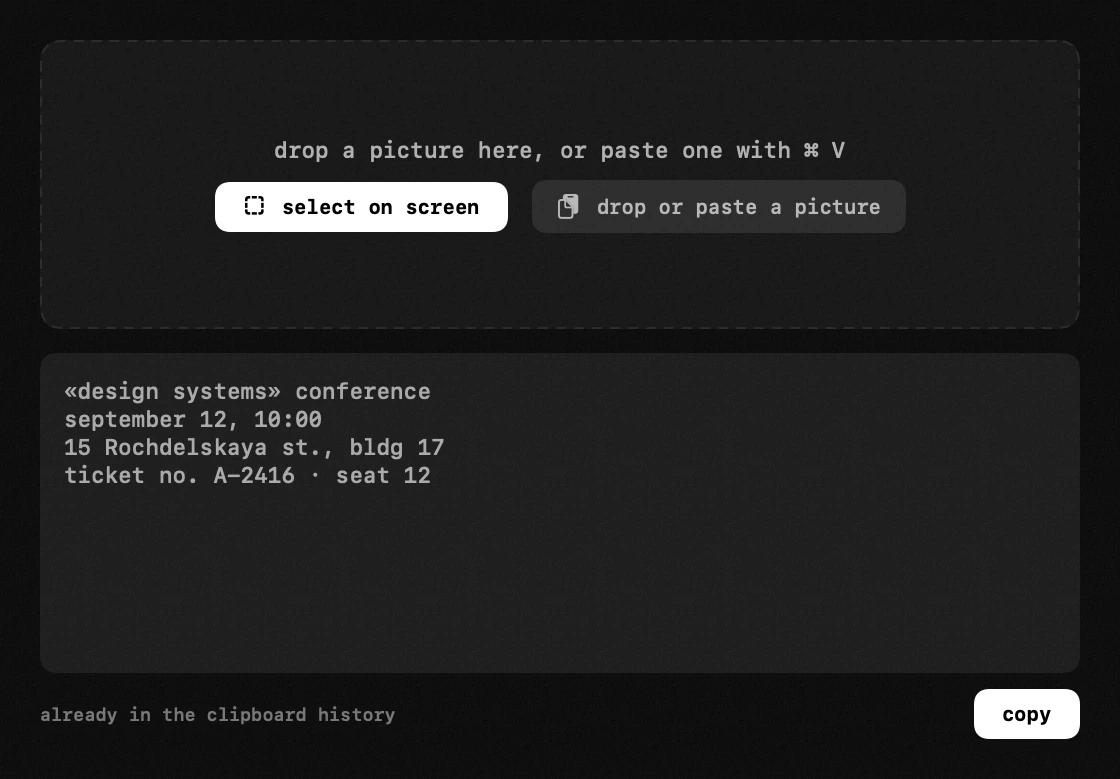
- two ways to start – "select on screen" hands you macOS's own crosshair to frame an area; the window also takes a picture dropped onto it or pasted with ⌘ V. printed and rendered text of any kind works: a paused video, a protected pdf, a dialog that will not let you select, a frame from a game. qr codes and barcodes are read in the same pass.
- the result is visible – a window shows the text instead of quietly filing it away. edit it, select a line, or use the copy button; the text is already in the clipboard history either way, searchable there later.
- line breaks are kept – a table or a code snippet stays readable instead of collapsing into one run-on line.
- recognition – the Vision engine built into macOS does it, right on your own computer: nothing is uploaded anywhere and no internet is needed.
- languages – nothing to choose: recognition works out the writing system itself, so a page in japanese, chinese, korean, russian, arabic or several of them at once is read as it is.
- screen recording – macOS asks for it once, because framing an area means reading pixels; a dropped picture needs no permission at all. escape cancels a selection and copies nothing.
app permissions
screen recording — text recognition, screenshots, and the loupe and the blur over the live screen.